
The best travel apps turn a complex trip into a smooth experience. It matters when you visit Sri Lanka. The country offers the best beaches, mountains, nature & wildlife, and ancient cities. Yet travel here brings real challenges. Roads twist through hills. Public transport runs on its own rhythm. Mobile signal drops in remote areas. Signs on trails are sometimes unclear.
You need tools that guide you, save time, and reduce stress. The right apps help you plan routes, book rides, find places to stay, and track hikes. They also help you avoid common mistakes. Sri Lanka Tourism data shows steady growth in visitor numbers after the recent recovery. More travellers now rely on mobile tools to move with ease and stay safe.
This guide shows you the best travel apps for Sri Lanka. Each app solves a real problem you will face on the ground. You will learn what to download, when to use each app, and how to get the most value from them.
If you are new to Sri Lanka, it is recommended to read our “Travel Tips” guide.
Why Do You Need the Best Travel Apps to Visit Sri Lanka?
Sri Lanka looks small on a map. Travel here takes time. Roads wind through mountains and forests. Trains move slowly but offer great views. Buses run often but follow no fixed schedule in many areas.
The Sri Lanka Tourism Development Authority promotes tourism across all regions. It includes rural areas, wildlife parks, and hill country towns. These places attract visitors but lack strong infrastructure. You will not always find clear signs, a strong signal, or easy transport.
Travel apps solve these gaps.
They help you:
- Find your way in areas with weak signage
- Book rides without price negotiation
- Check reviews before choosing hotels or restaurants
- Track hiking routes in remote terrain
- Translate basic phrases when needed
You also gain more control over your budget. Ride apps show clear prices. Booking apps list options across price ranges. Currency apps give real exchange rates.
If you plan to visit Sri Lanka without these tools, you will spend more time solving problems than enjoying the trip.
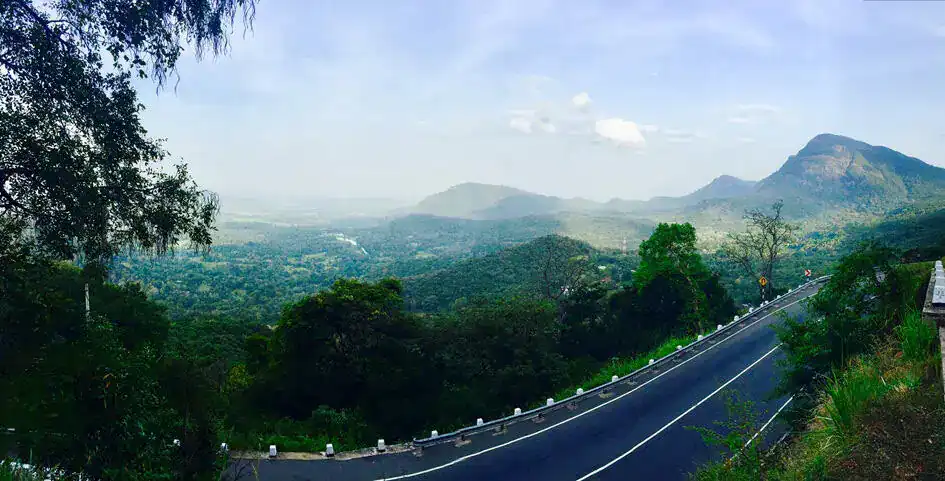
Eighteen Hairpin Bend Road in Sri Lanka (photo: Udesh Wijeraja, CC BY-SA 4.0)
Offline maps matter in Sri Lanka. Signal drops in the hill country, national parks, and coastal stretches. You need maps that work without an internet connection.
Google Maps
Google Maps works well in almost all of Sri Lanka. You get accurate directions, live traffic data, and reviews for shops and restaurants. But in some rural areas, internet signals become weaker. Therefore, before you travel, download offline maps for your key regions.
Use Google Maps for:
- General navigation
- Restaurant reviews
- Public transport directions in urban areas
Maps.me
Maps.me works better in rural areas. You download maps in advance and use them offline. The app shows trails, small roads, and points of interest not listed on Google Maps.
Travellers often use Maps.me for:
- Hiking routes near Ella
- Roads in tea plantation areas
- Remote beaches
Many reviews highlight its value in areas with a poor signal. You avoid getting lost on narrow paths or unmarked roads.
Here WeGo
Here WeGo offers another offline option. The app uses less storage and runs fast on older phones. You get clear driving and walking directions.
You should install at least two map apps. If one fails, the other gives backup.
Best Transport Apps to Visit Sri Lanka With Ease
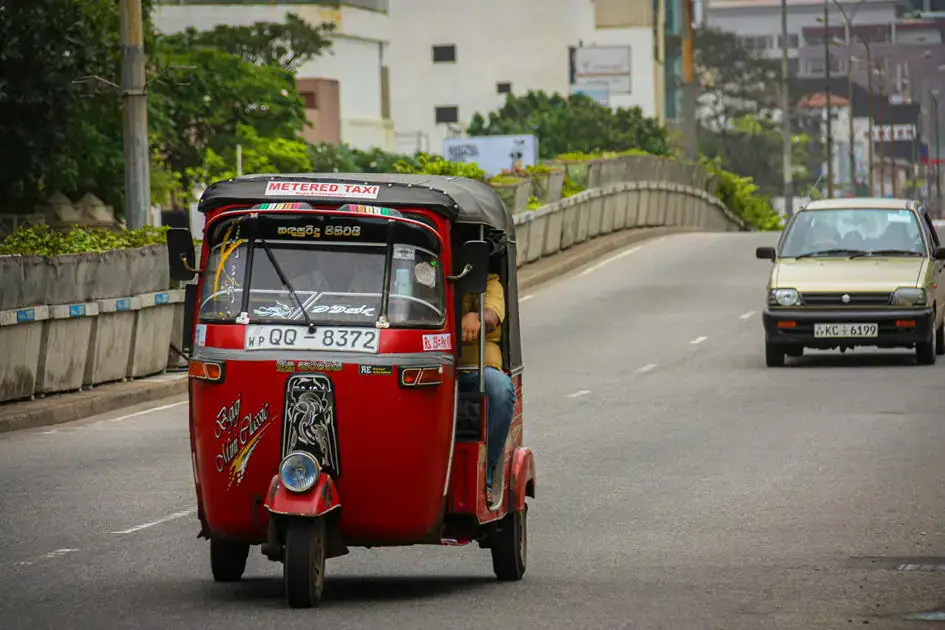
A Tuk-tuk in Sri Lanka (Photo: Maciej Cisowski, via Pexels)
Transport remains one of the main challenges when you visit Sri Lanka. Prices vary. Drivers sometimes quote higher rates for tourists. Travel apps bring clarity.
PickMe
PickMe stands as the most reliable local ride app. You find cars, tuk-tuks, and bikes through one platform. Prices show before you confirm your ride.
Use PickMe for:
- Short rides in Colombo
- Airport transfers
- Daily transport in cities
Local users rely on this app, which keeps pricing fair.
Uber
Uber works in Colombo and some nearby areas. The interface feels familiar if you used the app in other countries. Prices stay stable, though coverage remains limited outside major cities.
HelaGo
HelaGo is a Sri Lankan ride-hailing app launched in January 2025 by Bhasha Lanka to provide transparent, driver-passenger negotiated fares. Unlike algorithm-driven apps, it lets users choose from multiple price offers from nearby drivers, giving them better control over costs without surprise surges. Currently, it works only in the Western Province.
Why Transport Apps Matter
Without these apps, you need to negotiate fares. It takes time and leads to inconsistent pricing. Apps remove this issue. You see the price, confirm the ride, and move on.
Many travellers report saving up to 30 per cent on short rides by using ride-hailing apps instead of street taxis.
To get a clear idea about the transport system, we recommend reading our “Transport in Sri Lanka” guide.
Best Accommodation Apps for Every Budget
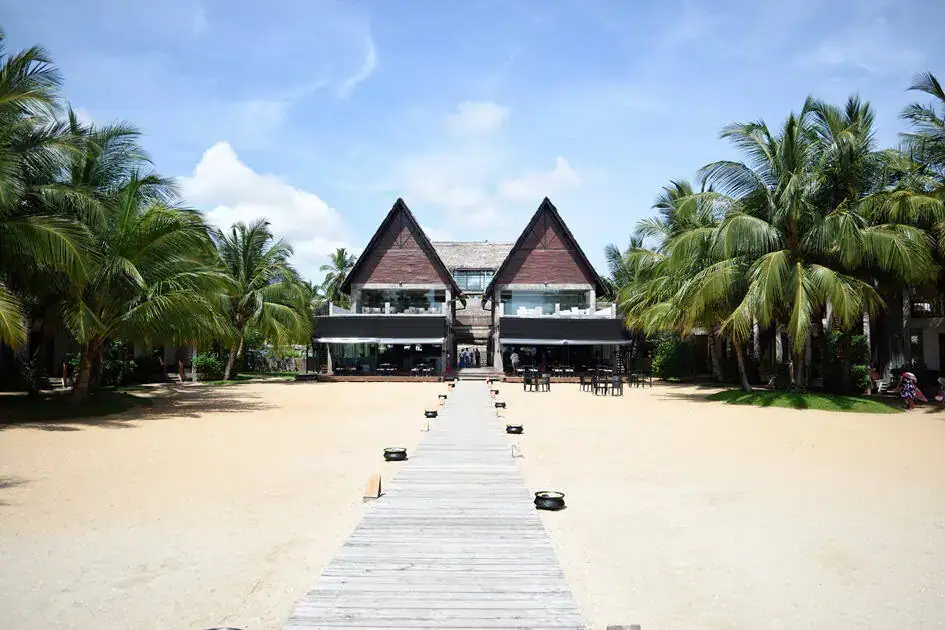
Maalu Maalu Resort & Spa – Pasikudah (Photo: Nalaka Priyantha)
Sri Lanka has a vast range of accommodation. You find hostels, guesthouses, boutique hotels, and luxury resorts. Booking apps help you filter options and compare prices.
Booking.com
Booking.com offers the widest selection. You find budget rooms, mid-range hotels, and luxury stays. Reviews from other travellers help you avoid poor choices.
Use filters to sort by:
- Price
- Location
- Guest ratings
Agoda
Agoda works well across Asia. You often find lower prices on Agoda compared to other platforms. Many properties in Sri Lanka list exclusive deals here.
Airbnb
Airbnb suits travellers who want local experiences. You stay in homes, villas, or apartments. It works well in coastal towns and in hill country.
Tips for Booking in Sri Lanka
Book early during peak season. December to March sees high demand. Prices rise fast in popular areas like Ella, Mirissa, and Sigiriya.
Always read recent reviews. Look for comments about cleanliness, location, and staff response.
Best Apps for Attractions and Experiences

A Resting Leopard in Wilpattu National Park (Photo: Nalaka Priyantha)
When you visit Sri Lanka, you will want more than transport and hotels. You will want to explore.
TripAdvisor
TripAdvisor remains one of the most used travel apps worldwide. You find reviews, photos, and rankings for attractions.
Use TripAdvisor for:
- Top sights in each city
- Restaurant recommendations
- Tour operator reviews
GetYourGuide and Klook
These apps help you book tours and activities in advance. You find options for wildlife safaris, guided hikes, and cultural tours.
Examples include:
- Yala National Park safari
- Sigiriya Rock guided climb
- Whale watching tours in Mirissa
These apps show clear pricing and verified reviews. You avoid unreliable operators.
Google Travel
Google Travel organises your plans in one place. You track bookings, flights, and saved places. It keeps your itinerary simple and easy to access.
If you are interested in exploring attractions and experiences in Sri Lanka, we recommend reading our “Places to Go” and “Things to Do” guides.
Best Apps for Food and Local Experiences

Kottu Roti Plate with Gravy (Photo: KavindaF, via Pixabay)
Food plays an important role in every trip. Sri Lanka offers rice and curry, fresh seafood, and street snacks.
Google Maps
Google Maps helps you find restaurants nearby. Reviews and ratings guide your choice. Photos give a clear idea of food quality.
TripAdvisor
TripAdvisor adds more detail. You read longer reviews and see rankings based on traveller feedback.
Instagram shows trending spots. Search location tags to find popular cafes and hidden food places.
Tips for Finding Good Food
Look for places with steady local traffic. Avoid empty restaurants in busy areas. Use reviews to confirm quality before you go.
Tasting authentic Sri Lankan food and drinks is one of the unforgettable experiences for travellers.
Best Hiking and Trail Apps for Sri Lanka

A View from Ella (Photo: Sachin Kaveesha Fernando, CC BY-SA 4.0)
Hiking stands as one of the main reasons people visit Sri Lanka. The country offers dense forests, tea plantations, mountain peaks, and long-distance trails. Many of these routes lack clear signs. You need reliable apps to stay on track.
The Pekoe Trail app
The Pekoe Trail ranks as Sri Lanka’s first long-distance hiking route. The trail runs over 300 kilometres through the central highlands. You pass tea estates, villages, forests, and viewpoints.
The official Pekoe Trail app gives you a clear guide for each stage. You see routes, distances, elevation, and key stops along the way. The app also helps you plan daily hikes based on your fitness level.
Why you need the Pekoe Trail app:
- Step-by-step route guidance
- Offline access to maps
- Stage breakdown for easier planning
- Safety support in remote areas
The Sri Lanka Tourism Promotion Bureau highlights the Pekoe Trail as a major addition to the country’s tourism offering. The trail draws both local and international hikers. With poor signage in some sections, the app plays a key role in safe travel.
AllTrails
AllTrails provides a large database of hiking routes. You find user reviews, photos, and difficulty ratings. The app helps you choose trails based on distance and elevation.
Popular hikes listed on AllTrails include:
- Ella Rock
- Little Adam’s Peak
- Trails in Horton Plains National Park
Many travellers use AllTrails to check recent trail conditions. Reviews often mention weather, safety, and route clarity.
Komoot
Komoot works well for route planning. You build your own hiking paths and download them for offline use. The app gives turn-by-turn directions, which are helpful in areas without signs.
Maps.me for Hiking
Maps.me also supports hiking. Many trails appear on the map, even in remote areas. It gives you a backup if your main hiking app fails.
Why Hiking Apps Matter in Sri Lanka
Trails sometimes lack clear markings. Weather changes fast in the hill country. Fog reduces visibility. Without an app, you risk losing your way.
Many travel reports show hikers missing paths near Ella and Horton Plains. Apps reduce this risk and help you stay safe.
If you are interested in hiking, 10 trails in Sri Lanka take you off the beaten path.
Essential Utility Apps Every Traveller Should Use
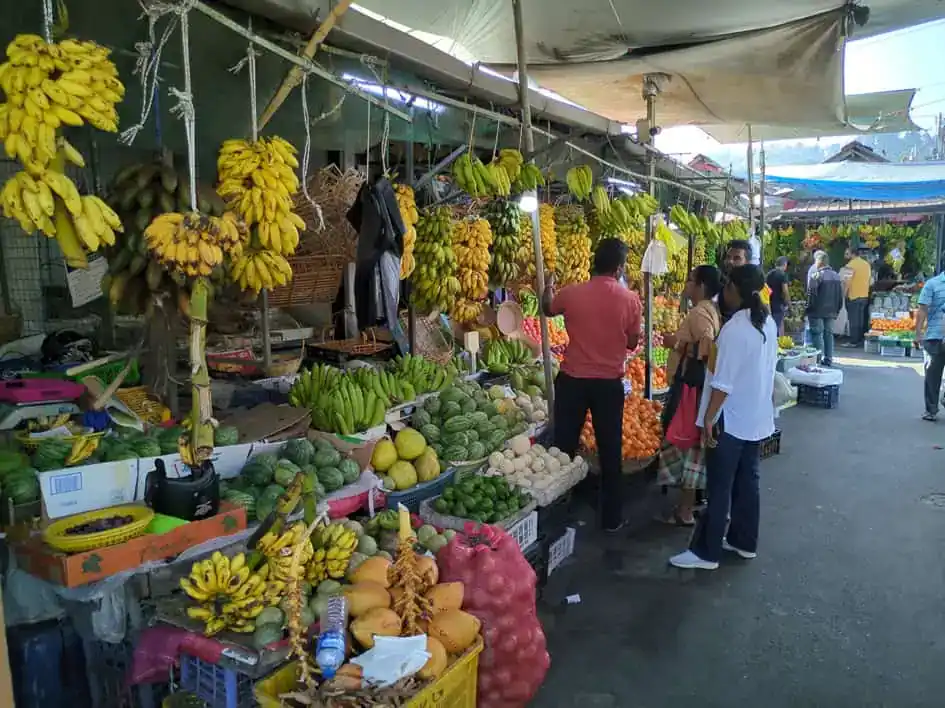
Fruit Market in Kandy (Photo: Bergentroll, CC0 1.0)
You need more than maps and bookings when you visit Sri Lanka. Utility apps help with daily tasks and communication.
Google Translate
Google Translate supports Sinhala and Tamil. You type or speak simple phrases and get instant translations. It helps in shops, local markets, and rural areas.
Use it for:
- Asking for directions
- Ordering food
- Basic conversations
XE Currency
Sri Lanka uses the Sri Lankan Rupee. Prices often change based on exchange rates. XE Currency gives live conversion rates. It helps you avoid overpaying.
WhatsApp serves as the main communication tool in Sri Lanka. Hotels, drivers, and tour guides use it daily. You send messages, share locations, and confirm bookings.
Local Payment Tools
Sri Lanka continues to expand digital payments. Systems like LankaQR and GovPay support cashless transactions in some areas. Still, cash remains common, especially in rural regions.
Keep both options ready. Carry cash and use digital payments where available.
Pro Tips for Using Travel Apps in Sri Lanka
Apps work best when you prepare in advance. A few simple steps improve your travel experience.
Download offline maps before arrival
Choose your regions and download maps on Google Maps or Maps.me. Do this before you land in Sri Lanka.
Buy a local SIM card
Local networks offer better coverage than international roaming. Providers like Dialog, Mobitel, and Airtel provide strong signal coverage in most areas.
SIM cards are easy to purchase upon arrival at the airport or local service centres. Setup takes minimal time, allowing remote work to begin almost immediately after arrival.
Save key locations
Mark your hotel, train stations, and main attractions on your map app. It saves time and avoids confusion.
Screenshot bookings
Keep copies of hotel reservations and tickets. You will not always have internet access when you need it.
Compare prices before booking.
Use multiple apps to compare hotel rates and transport fares. It helps you find better deals.
Check reviews before decisions
Always read recent reviews. Look for patterns in feedback. It gives a clearer picture than ratings alone.

In Kandy (Photo: Eddy Billard, via Unsplash)
Common Mistakes Travellers Make and How Apps Solve Them
Many travellers face the same problems when they visit Sri Lanka. Travel apps reduce these issues.
Getting lost in rural areas
Problem: Roads and trails lack signs.
Solution: Use offline maps and hiking apps.
Overpaying for transport
Problem: Drivers quote high prices.
Solution: Use PickMe, HelaGo, or Uber for fixed rates.
Missing local experiences
Problem: Tourists visit only popular spots.
Solution: Use TripAdvisor and Google Maps to find lesser-known places.
Booking poor accommodation
Problem: Photos do not match reality.
Solution: Read verified reviews on booking apps.
Underestimating hiking difficulty
Problem: Trails seem easy but prove hard.
Solution: Check trail details on AllTrails or Komoot.
These mistakes cost time and money. Apps give you better control over your trip.
How These Apps Improve Your Experience When You Visit Sri Lanka
Travel apps do more than solve problems. They improve your entire experience.
You move faster. You plan better. You spend less time waiting and more time exploring.
Tourism in Sri Lanka continues to grow. Official tourism bodies focus on improving visitor access and promoting new attractions. Digital tools support this effort by helping travellers reach more places with ease.
When you visit Sri Lanka with the right apps, you gain freedom. You choose where to go, how to get there, and what to see without stress.
You also connect more with local culture. You find small restaurants, local guides, and quiet trails that do not appear in basic travel guides.
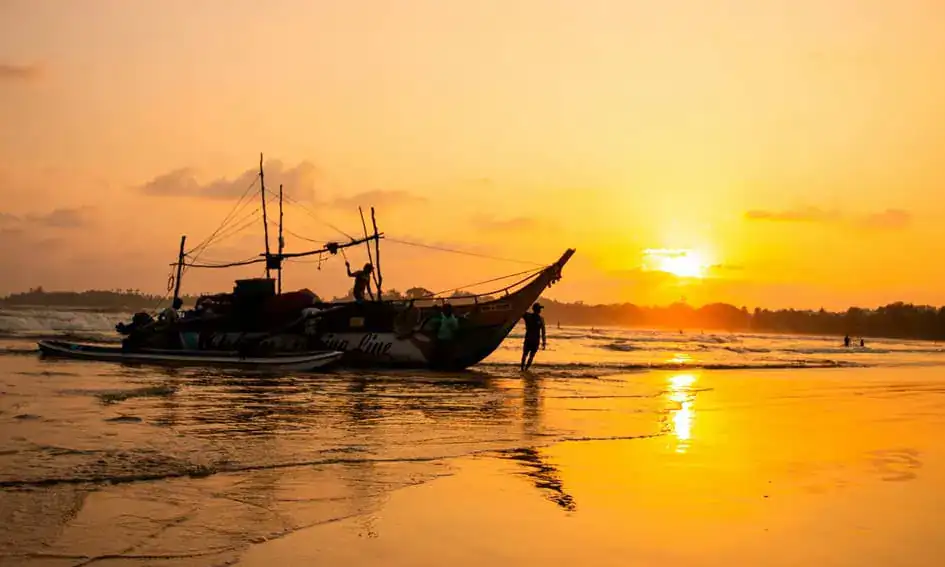
Sunset Silhouettes at Weligama Beach (Photo, cropped: Lucas Klein, via Pexels)
If you are new to Sri Lanka, we recommend reading our ultimate travel guide for first-time travellers and the best Sri Lanka travel itineraries.
Final Thoughts
The best travel apps shape how you experience Sri Lanka. They guide you through cities, hills, and remote trails. They help you book rides, find places to stay, and explore beyond common routes.
When you visit Sri Lanka, preparation matters. Download your apps before you arrive. Set up offline maps. Save key locations. These steps save time and reduce stress.
Each app in this guide serves a clear purpose. Together, they form a complete toolkit for your trip. You travel with more confidence. You avoid common mistakes. You gain more every day.
Your phone becomes your guide, planner, and safety tool. With the best travel apps, you move through Sri Lanka with ease and focus on what matters, and the experience itself.
Sources and References:
Data sources include official tourism boards and global travel platforms.
- Sri Lanka Tourism Development Authority.
- Sri Lanka Tourism.
- The Pekoe Trail Official Website.
- PickMe Sri Lanka.
- Google Maps.
- Booking.com.
- TripAdvisor.
- AllTrails.
- UN World Tourism Organization.
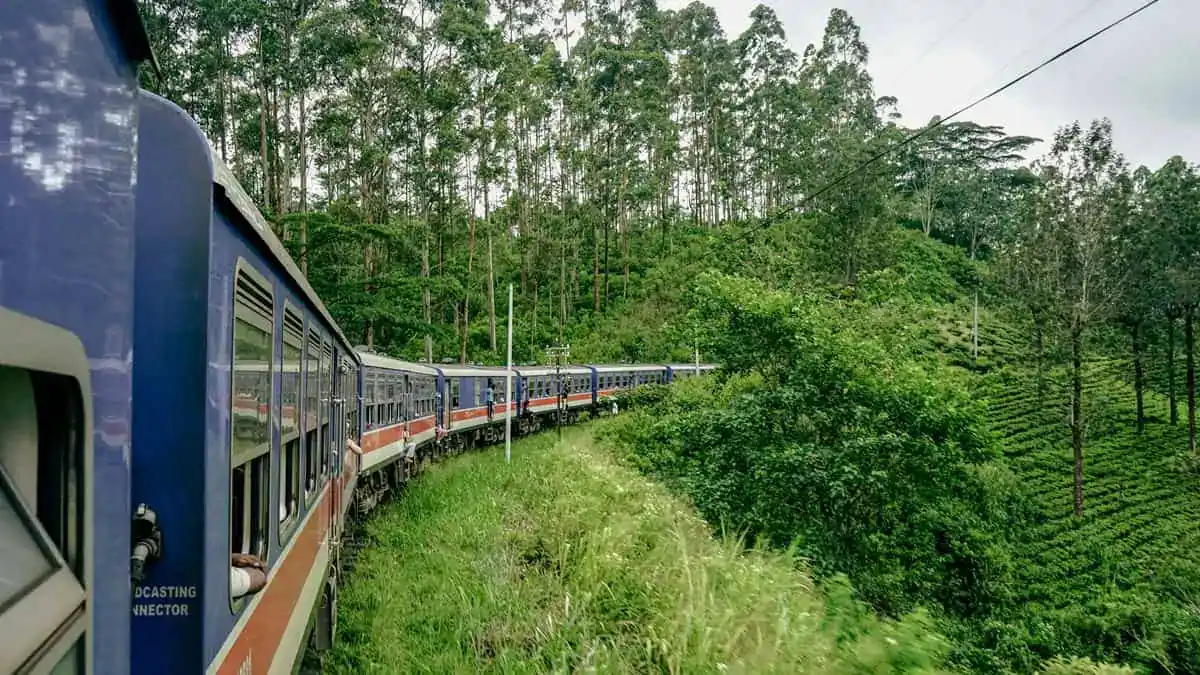
Featured image: The Kandy to Ella Scenic Train (Photo: Matt Dany, via Unsplash)

I am a Sri Lankan medical doctor who spends my free time travelling, exploring new destinations, and documenting the beauty of the island I call home. I have journeyed across almost every corner of Sri Lanka with my wife and daughter — from wildlife parks and misty mountains to ancient cities, deep forests, rugged landscapes, and quiet beaches.
Travel is not just a hobby for me — it’s a way of life. I love nature, enjoy road trips, and find joy in wildlife photography. I also read widely about tourism, travel trends, and destination culture. Through my writing, I aim to help travellers experience Sri Lanka through real stories, meaningful insights, and honest recommendations — the same way I explore it with my own family.